
Research · 6 min read
Do Not Let Missing Supplier Data Score as Zero
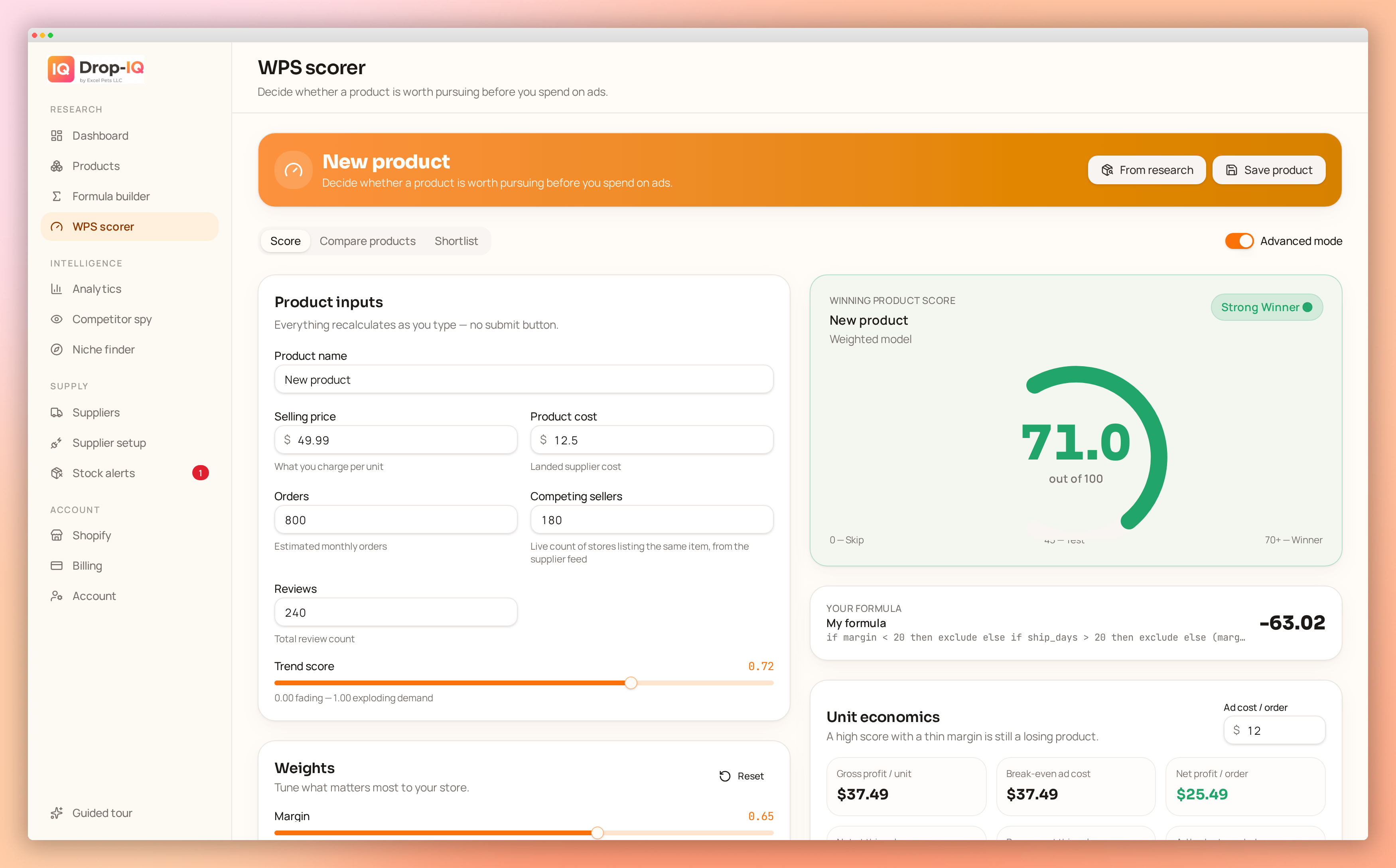
A blank supplier field can quietly distort an otherwise sensible product score. If missing shipping cost becomes $0, the listing appears more profitable. If unknown delivery time becomes 0 days, it looks faster than every valid alternative. If blank stock becomes zero, a viable listing may be discarded.
None of those outcomes reflects what the supplier actually reported.
Live feeds change, fields fail to map, and some suppliers simply omit information. Before trusting a shortlist, decide what your formula should do when cost, shipping, stock, or delivery data is unavailable.
Separate zero from unknown
Zero is a real value. Blank is a lack of evidence.
Examples of valid zeroes include:
- Free shipping with a confirmed shipping cost of $0
- A supplier reporting zero units in stock
- No transaction fee for a particular payment method
Examples of unknown values include:
- No shipping quote for the customer’s country
- A stock field that was not returned
- A delivery estimate shown only after checkout
- A variant with no current supplier price
Do not convert these unknowns to zero before scoring. Store them as null, blank, unavailable, or another explicit missing state.
This matters because scoring formulas often reward low values. A formula that awards more points for lower shipping cost or shorter delivery time will treat an unknown converted to zero as a perfect result.
Classify fields by how much they affect the decision
Not every missing field needs the same response. Divide inputs into three groups.
Critical fields
A listing cannot be evaluated without these. For most Shopify sellers, they include:
- Product or variant cost
- A usable shipping cost to the target market
- Evidence that the selected variant is available
- Enough price information to calculate landed cost
If one is missing, reject the listing from the ranked shortlist. It can remain in the database, but it should not compete with listings that have complete margin inputs.
A basic eligibility rule could be:
IF cost IS NULL OR shipping_cost IS NULL OR stock_status IS NULL THEN REJECT
Treating the listing as ineligible is not the same as saying the product is bad. It means there is not enough information to calculate whether it is viable.
Important but reviewable fields
These affect the decision, but a seller may still want to inspect the listing manually. Common examples are:
- Delivery estimate
- Exact stock quantity when an “in stock” status exists
- Processing time
- Tracking availability
- Variant-specific warehouse location
Missing data here should usually send the listing to a manual-review queue, especially when its margin and demand indicators are otherwise acceptable.
Noncritical fields
These refine a score but do not determine basic viability. Depending on your strategy, examples might include:
- Number of product images
- Supplier order history
- Packaging details
- Optional trend signals
- Secondary marketplace ratings
For these fields, assign a neutral value rather than zero. Neutral means “no positive or negative adjustment,” not “average quality has been verified.”
Use a gate before the weighted score
Do not ask one formula to handle both data quality and product attractiveness. Use two stages.
First, apply an eligibility gate:
eligible = cost_known AND shipping_known AND availability_known
Then score only eligible listings:
score = 0.35*margin_score + 0.25*roi_score + 0.20*trend_score + 0.10*delivery_score + 0.10*stock_score
This prevents a strong trend score from compensating for a missing cost. No amount of apparent demand can make an unknown landed cost suitable for automated ranking.
You can also add an explicit review rule:
IF eligible AND delivery_days IS NULL THEN REVIEW ELSE RANK
That produces three useful outcomes:
- Reject: Critical information is missing.
- Review: The listing may be viable, but an important field needs verification.
- Rank: The listing has enough data for normal scoring.
Worked example: why zero creates the wrong winner
Assume a store plans to sell a product for $39. The formula uses:
- Margin score: 50%
- Delivery score: 30%
- Stock score: 20%
Two supplier listings appear in the feed.
| Field | Listing A | Listing B | |---|---:|---:| | Product cost | $15 | $14 | | Shipping cost | $5 | Blank | | Landed cost | $20 | Unknown | | Delivery | 8 days | Blank | | Stock | 120 units | 80 units |
Listing A has a gross profit before Shopify, payment, advertising, returns, and tax costs of:
$39 - $15 - $5 = $19
Its gross margin on the sale price is:
$19 / $39 = 48.7%
Listing B cannot be calculated because shipping is unknown.
Suppose the system incorrectly converts blanks to zero. Listing B would appear to have:
- Landed cost:
$14 + $0 = $14 - Gross profit:
$39 - $14 = $25 - Gross margin:
$25 / $39 = 64.1% - Delivery time: 0 days
The incomplete listing would likely outrank Listing A on both margin and delivery. Yet neither result is supported by supplier data.
Under an explicit missing-data policy:
- Listing A enters the ranked shortlist.
- Listing B is rejected because shipping cost is critical.
- If a shipping quote is later obtained, Listing B can be rescored.
For checking the margin impact of known product and shipping costs, use the Drop-IQ profit calculator. Keep uncertain values out of the calculation rather than entering zero merely to produce an answer.
Choose neutral values carefully
For normalized fields scored from 0 to 100, a neutral value is often 50. That can work when the missing field is genuinely noncritical.
For example:
image_score = IF image_count IS NULL THEN 50 ELSE NORMALIZE(image_count)
However, neutral values can accumulate. A listing with many missing fields may receive a respectable score despite having little supporting data. Add a completeness rule, such as:
IF noncritical_fields_missing >= 3 THEN REVIEW
Another option is to calculate a separate data-confidence score. Keep it outside the product score so that “promising product” and “well-documented listing” remain distinct concepts.
Build a useful manual-review queue
A review queue should say why each listing is there. Include:
- Missing field
- Supplier and variant
- Target destination used for shipping
- Last feed update
- Current landed-cost estimate, if available
- Score excluding the missing field
- Action required
Useful actions might be “request shipping quote,” “confirm stock,” “check delivery estimate at checkout,” or “find an alternate supplier.”
Do not let review items sit indefinitely. Supplier prices and availability move, so record when the listing was checked and expire stale reviews.
Apply the policy at variant level
Supplier data is often complete for one variant and missing for another. A product-level average can hide that difference.
A black medium variant may have a known cost, local stock, and an eight-day estimate, while a blue large variant has no shipping quote. Score those variants separately. If your Shopify offer requires all advertised variants to be available, add a rule that rejects the product when a required variant lacks critical data.
Next step
Write down your policy for each input before changing the scoring formula: reject, neutral, or manual review. Then test it on a small set of live listings, including deliberately incomplete records. The honest goal is not to rescue every listing; it is to ensure that unknown data cannot masquerade as favorable data.